


Scheduling a Backup
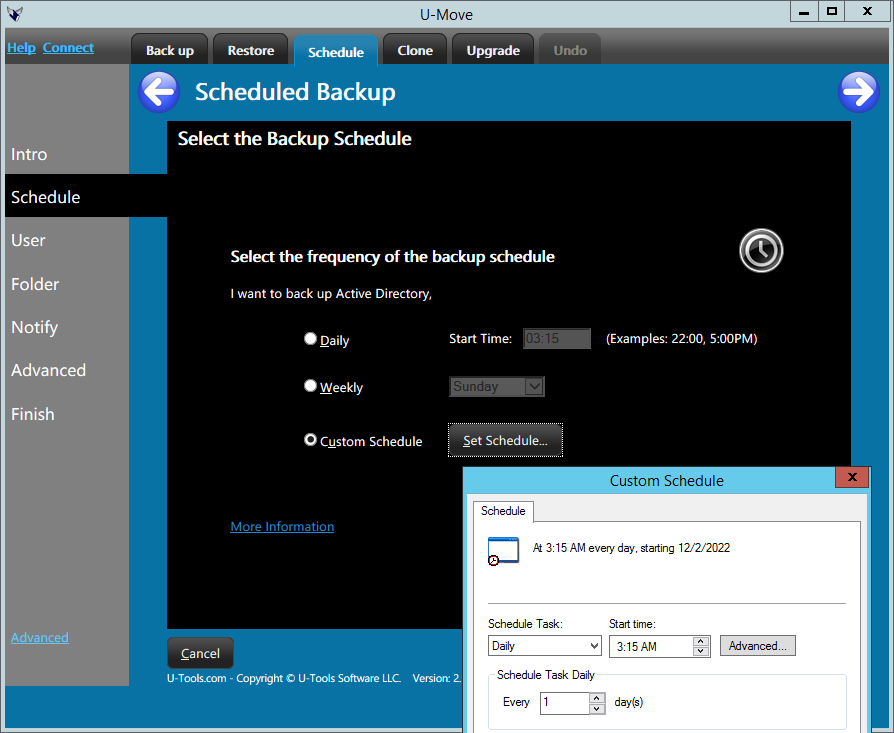 U-Move can back up Active Directory on a daily
or weekly schedule. The backup task is created under the
Task Scheduler, which is a standard Windows service. The backup
task will periodically run U-Move for you to create snapshots
of Active Directory.
U-Move can back up Active Directory on a daily
or weekly schedule. The backup task is created under the
Task Scheduler, which is a standard Windows service. The backup
task will periodically run U-Move for you to create snapshots
of Active Directory.
The backup task will write each snapshot of Active Directory to a .BKF file. AD service is not interrupted. The .BKF file will contain the minimal data files required to restore, recover, or rescue Active Directory. U-Move does not back up the entire operating system (the System State). It backs up only the minimal files needed to restore, recover, or rescue AD. This keeps the size of the file small, making daily backups practical.
The backup task runs quickly (1-5 minutes is typical) and does not interrupt AD service.
Interview
To create a scheduled backup task, select I want to back up Active Directory on a daily or weekly schedule. U-Move will ask you a series of questions to determine how to best create the backup task. Click the Next button to proceed to the next question. When you click the Finish button U-Move will create the task in the Windows Task Scheduler.
For more information regarding the interview see
- Selecting the schedule
- Entering the user account for the backup task
- Selecting a backup folder
- Choosing an alert method
Always Safe
Creating a backup with U-Move is always safe. The backup operation will not modify the content of your Active Directory database in any way.
For more information
See also Deleting the Scheduled Backup and Restoring Active Directory.
| U-Move for Active Directory |


