


The Staging Folder
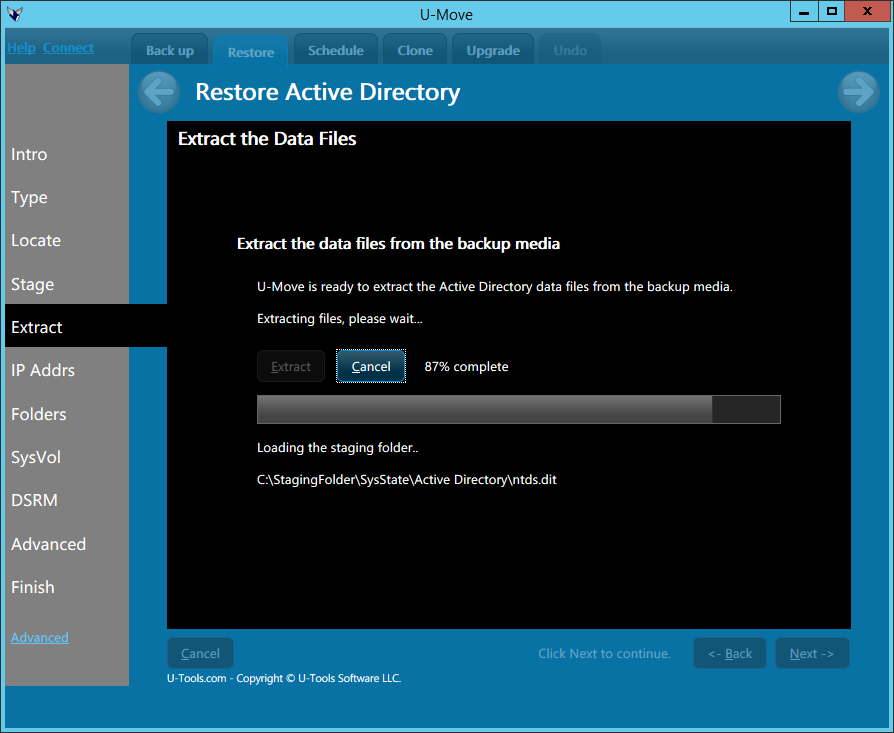 The staging folder contains a snapshot of the data for Active Directory.
On the source computer choose an empty folder. U-Move will take a snapshot of Active Directory from the operating system and write it into this folder.
You can then transfer the staging folder to the destination computer. On the destination computer U-Move will upload the files from the staging folder write them into the operating system in order to create a new Active Directory database.
Required Folders
The Staging Folder must contain
the following folders:
\Windows,
\ProgramData,
and \Users\Administrator.
Layout of the Staging Folder
U-Move will create the staging folder using the layout shown below.
Note: Do not attempt to manually recreate this layout. If you cannot run U-Move on the source computer, instead use the dead disk procedure.
Staging Folder (Any name is acceptable here)
|
-- 00EXPIRY.DAT (Backup expiration date, optional)
|
-- 000STAGE.DAT (U-Move annotations, optional)
|
+- C  (System drive letter, typically C)
|  |
|  +- Users
|  |  |
|  |  +- Administrator (The name will vary depending on the language)
|  |  |  |
|  |     +- AppData
|  |  |     |
|  |  |     +- Microsoft
|  |  |        |
|  |  |        +- Credentials, Crypto, Protect, SystemCertificates, Vault
|  |  |           |
|  |  |           (Encryption key files)
|  |  |
|  |  +- ProgramData
|  |     |
|  |     +- Microsoft
|  |        |
|  |        +- Credentials, Crypto, Protect, SystemCertificates, Vault
|  |           |
|  |           (Encryption key files)
|  |
|  +- WINDOWS
|     |
|     +- ntfrs
|     |  |
|     |  (Database for the File Replication Service)
|     |
|     +- SchCache
|     |  |
|     |  (AD schema cache files)
|     |
|     +- Security
|     |  |
|     |  (Security database files)
|     |
|     +- System32
|     |  |
|     |  +- CertLog
|     |  |  |
|     |  |  (Files for Certificate Services, optional)
|     |  |
|     |  +- certsvc
|     |  |  |
|     |  |  (Files for Certificate Services, optional)
|     |  |
|     |  +- Config
|     |  |  |
|     |  |  -- netlogon.dnb
|     |  |  |
|     |  |  -- netlogon.dns
|     |  |  |
|     |  |  -- netlogon.ftl (Only if more than one domain controller)
|     |  |
|     |  +- DHCP
|     |  |  |
|     |  |  (DHCP database files, optional)
|     |  |
|     |  +- DNS
|     |  |  |
|     |  |  (DNS zone files)
|     |  |
|     |  +- drivers
|     |  |  |
|     |  |  +- etc
|     |  |     |
|     |  |     -- hosts
|     |  |     |
|     |  |     -- lmhosts
|     |  |
|     |  +- GroupPolicy
|     |  |  |
|     |  |  (Local group policy files)
|     |  |
|     |  +- InetSrv
|     |  |  |
|     |  |  (IIS metabase files, optional)
|     |  |
|     |  |
|     |  +- LogFiles
|     |  |  |
|     |  |  +- Sum
|     |  |     |
|     |  |     (SystemIdentity database)
|     |  |
|     |  |
|     |  +- Microsoft
|     |  |  |
|     |  |  +- Credentials, Crypto, Protect, SystemCertificates, Vault
|     |  |     |
|     |  |     (Encryption key files)
|     |  |
|     |  +- WINS
|     |     |
|     |     (WINS database files, optional)
|     |
|     +- tsgateway
|        |
|        (Remote Desktop gateway encrypted files)
|
+- System State (Or SysState)
   |
   +- Active Directory
   |  |
   |  -- ntds.dit (The Active Directory database file)
   |  |
   |  -- edb00001.log (The 0000n numbers will vary)
   |  |
   |  -- edb.log
   |  |
   |  -- edb.chk (If present on the source DC)
   |
   +- Boot Files
   |  |
   |  +- C_ (System drive letter. Note the underscore “_”)
   |     |
   |     +- ProgramData
   |        |
   |        +- Microsoft
   |        |  |
   |        |  +- Credentials, Crypto, Protect, SystemCertificates, Vault
   |        |     |
   |        |     (Encryption key files)
   |        |
   |        +- IsolatedStorage
   |           |
   |           +- (Encryption key files)
   |
   +- COM+ Class Registration Database
   |  |
   |  +- ComRegDb.bak
   |
   +- Registry
   |  |
   |  -- Default
   |  |
   |  -- SAM
   |  |
   |  -- Security
   |  |
   |  -- Security.LOG1  (If present)
   |  |
   |  -- Security.LOG2  (If present)
   |  |
   |  -- Software
   |  |
   |  -- Software.LOG1  (If present)
   |  |
   |  -- Software.LOG2  (If present)
   |  |
   |  -- System
   |  |
   |  -- System.LOG1  (If present)
   |  |
   |  -- System.LOG2  (If present)
   |
   +- SYSVOL
      |
      +- C_ (System drive letter.  Note the underscore “_”)
         |
         +- Windows
            |
            +- SYSVOL
            |  |
            |  (Group Policy files and logon scripts)
            |
            +- SYSVOL_DFSR (If using both DFSR and FRS)
               |
               (Group Policy files and logon scripts)
The staging folder must have the layout shown above. Capitalization is not important. The drive letter (“C”) should match the letter of the system drive. The drive letter can optionally include an underscore character (“C_”).
The folder for the System State can be either “System State” or “SysState”.
The file 00EXPIRY.DAT is optional. It contains the expiration date of the backup (typically 60-180 days after the date of the backup). Its purpose is to warn you when attempting to restore an old backup that has gone past its expiration date.
Alternative: Layout on a Dead Computer
As an alternative, you can copy the Active Directory files directly from the disk of a dead computer. U-Move will ask you to confirm that you are using a dead computer's disk. Answer "yes".
When using a dead computer's disk, U-Move will search for the Active Directory files using the Windows folder layout instead of the .BKF folder layout. The System State folder is ignored. For example, U-Move will search for NTDS.DIT under StagingFolder\C\Windows\NTDS instead of StagingFolder\System State\Active Directory.
| U-Move for Active Directory |


