


Advanced Options
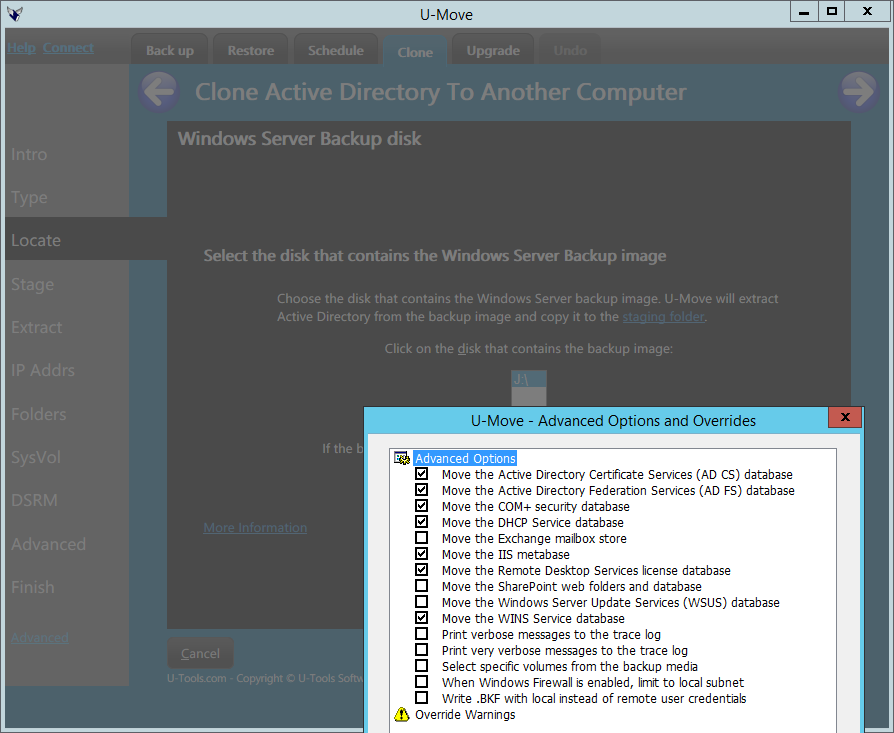 To select advanced options, position the mouse over the U-Move dialog window.
Click the alternate mouse button (usually the right mouse button),
or press and hold your finger on the touchscreen window,
or press the keys Shift+F10 on the keyboard.
A popup menu will appear.
Click or tap on Advanced.
To select advanced options, position the mouse over the U-Move dialog window.
Click the alternate mouse button (usually the right mouse button),
or press and hold your finger on the touchscreen window,
or press the keys Shift+F10 on the keyboard.
A popup menu will appear.
Click or tap on Advanced.
For more information on a specific advanced option, open the tree under Advanced Options in the left panel. help menu (top).
Command Line: Selecting U-Move advanced options for backup, restore, and cloning
The advanced options for backup, restore, and cloning can be selected on the command line with the
-MvAdv option followed by the option code number.
Example: -MvAdv 2.
The advanced option can be turned off with -NoMvAdv 2.
Command Line: Selecting U-Move advanced options for upgrade (swing migration)
The advanced options upgrade (swing migration) can be selected on the command line with the
-MgAdv option followed by the option code number.
Example: -MgAdv 2.
The advanced option can be turned off with -NoMgAdv 2.
| U-Move for Active Directory |


